Global Variable
2.8.1. Definition
A Global Variable in akaAT Studio lets you store information that can be reused across the project. Global variables help users to save time for entering specific information many times in each script or save time from performing the same kind of processing and save time from maintaining scripts.
Instead of using a value defined in a specified test case, you can use a value which is used to define for the whole project, which can be used across in any test case of the current project.
2.8.2. Create a Global Variable
Following these steps:
- Step 1: Click on “Global Variable”
- Step 2: Input Variable name
- Step 3: Click on [+Add] button to create a new Variable.
- Step 4: Input Value for variable.
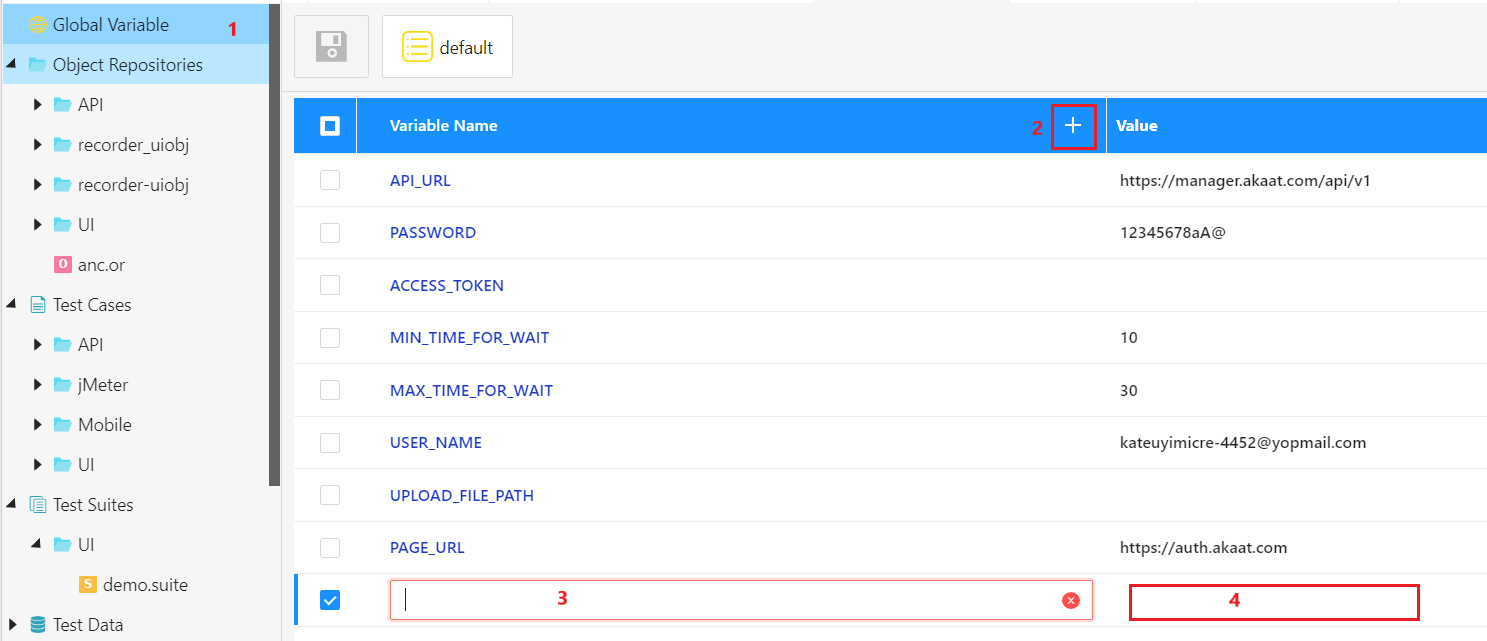
- Step 5: Normally, if you do not have any other profile, above steps will be stored in the default Profile.
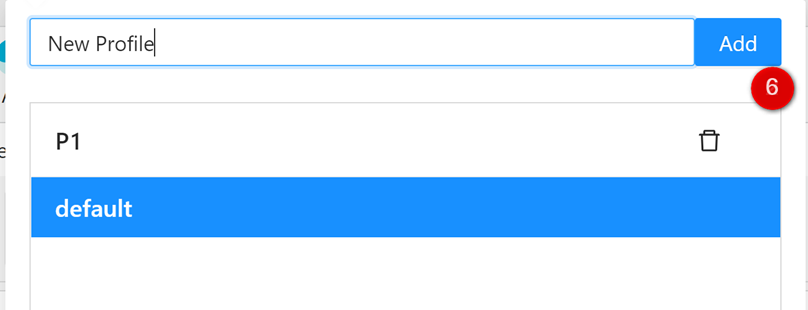
You can create new Profile by click on  button.
- Step 6: Click on [Add] button to add new Profile.
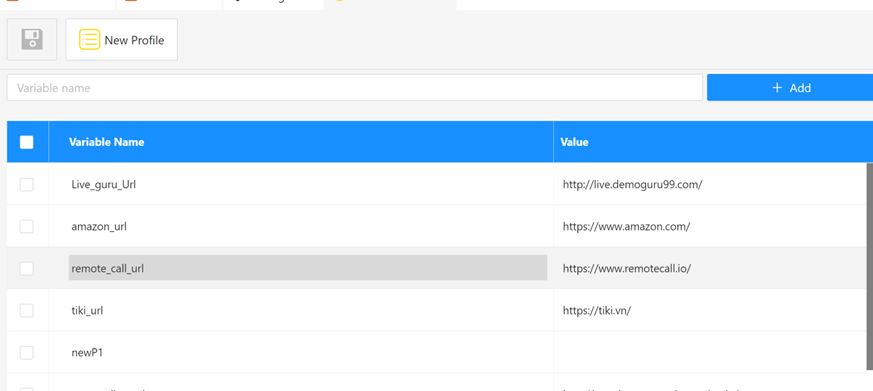
- Step 7: Select new Profile, you can see all Variables and Value will be auto-filled from previous Profile, you can change value in this new Profile.
2.8.3. Search
Following these steps:
- Step 1: Click on “Global Variable”
- Step 2: Press Control + F
- Step 3: Input value that want to search